Showing posts with label SharePoint. Show all posts

Wednesday, January 12, 2011

Applying v4.MasterPage as a Search Center MasterPage

Read It

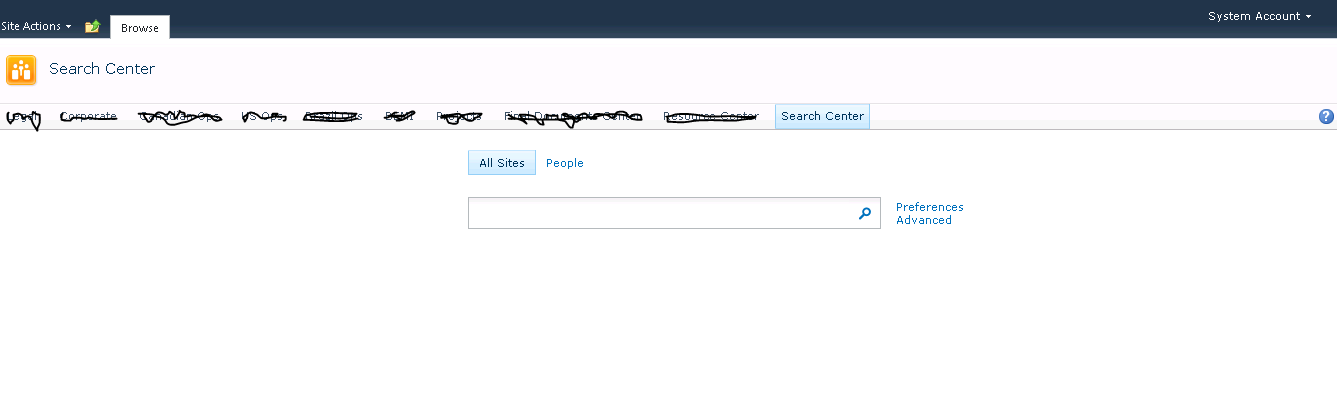
Last week when I was working on a client project I had a requirement of applying v4.masterpage into Search Center as the search center was disconnected from rest of the site collection for its global navigation. So during my search for a solution I came across this useful link “Converting a Custom SharePoint 2010 Master Page into a Search Center Master Page” posted by Randi Drisgill. This blog was simply listing the steps required to achieve what I wanted. So I went ahead and applied the steps mentioned in there. Everything went well and thanks to Randi.

Once after completing the steps mentioned in there, I started performing some basic tests and oops, I came across two bickering issues:
  1. The search box was found to be left aligned which was different to the alignment set in OOB.
  2. When page loads an additional ribbon row gets displayed momentarily and disappeared.
Let’s Fix

So I had to work on finding a solution for both the issues before releasing the solution.
  1. Fixing Issues# 1: I had to remove the style attribute (in the masterpage) margin:inherit as shown below:.srch-sb-results4 {
    margin: inherit;
    padding-left: 20px;
    }
  2. Fixing Issue# 2: A <div> tag should be introduced with style set to display:none surrounding the “notificationArea” div.
<div style="display:none">
<div id="notificationArea">
</div>
<asp:ContentPlaceHolder ID="SPNavigation" runat="server">
<SharePoint:DelegateControl runat="server" ControlId="PublishingConsole" Id="PublishingConsoleDelegate">
</SharePoint:DelegateControl>
</asp:ContentPlaceHolder>
</div>
That’s all you need in addition to what Randi Drisgill already provided.

FinallySearch Center

Friday, September 24, 2010

As soon as setting up the User Profile Synchronization Application service, when clicking on User Profile Service Application in SharePoint 2010 - UserProfileServiceUserStatisticsWebPart:LoadControl failed

As soon as setting up the User Profile Synchronization Application service, when clicking on User Profile Service Application in SharePoint 2010 - UserProfileServiceUserStatisticsWebPart:LoadControl failed

[UserProfileServiceUserStatisticsWebPart:LoadControl failed, Exception: System.IO.FileLoadException: The located assembly's manifest definition does not match the assembly reference. (Exception from HRESULT: 0x80131040) at Microsoft.Office.Server.UserProfiles.UserProfileConfigManager.InitializeIlmClient(String ILMMachineName, Int32 FIMWebClientTimeOut) at Microsoft.Office.Server.UserProfiles.UserProfileConfigManager..ctor(UserProfileApplicationProxy userProfileApplicationProxy, Guid partitionID)]
Check-1: You may have forgotten to issue iisreset /noforce
Check-2: Verify that “Forefront Identity Manager Synchronization Service” and the “Forefront Identity Manager Service” are running

Saturday, October 31, 2009

MOSS 2007 - Integrate Information Rights Management into SharePoint

Microsoft Office SharePoint Server (MOSS) 2007 ships with protectors based on the Information Rights Management (IRM) framework. These provide Microsoft Office users with the benefit of SharePoint integration with Active Directory Rights Management Services (AD RMS). Unfortunately, Windows SharePoint Services ( WSS ) 3.0 does not include IRM protectors out of the box. However, there is a solution. If you browse the sample applications and code snippets on the MSDN Code Gallery, among the gems you'll find is the Microsoft Office File Format Protectors source code, which Microsoft published in August 2008. The source code comes with a non-exclusive, worldwide, royalty-free "as-is" Microsoft Public License (Ms-PL). This is a great find because it means you can compile the source code and add these components to WSS 3.0 as well. In this way, you can benefit from AD RMS-based security and compliance features in any SharePoint environment.More>>